Enable Google Sign-In in Firebase
Add 'Sign in with Google' to your site using Firebase Authentication: open Authentication, pick the Google provider, and set a project support email. Screenshots included, plus the most common support-email warning and how to clear it.
 卡住很正常——點段落旁的 😵 卡關 讓我們知道,或直接往下滾到問答區發問。
也可以用 👍 看懂 / 😢 看不懂 告訴我們哪裡寫得好、哪裡要改。
卡住很正常——點段落旁的 😵 卡關 讓我們知道,或直接往下滾到問答區發問。
也可以用 👍 看懂 / 😢 看不懂 告訴我們哪裡寫得好、哪裡要改。
In one line: Open Authentication → Google in your Firebase project and set a project support email — your site can then use “Sign in with Google” to get the user’s identity, with no account system of your own.
Keywords: Firebase Authentication, Google sign-in, Sign-in method, project support email, OAuth
Why use Firebase’s login?
To “know who the user is,” rolling your own accounts / passwords / OAuth is fiddly and error-prone. Firebase Authentication lets you wire up Google sign-in in one click — users log in with an existing Google account and you get their identity directly, skipping the whole credential system.
No Firebase project yet? Start with Create Your First Firebase Project.
Step 1: Open Authentication
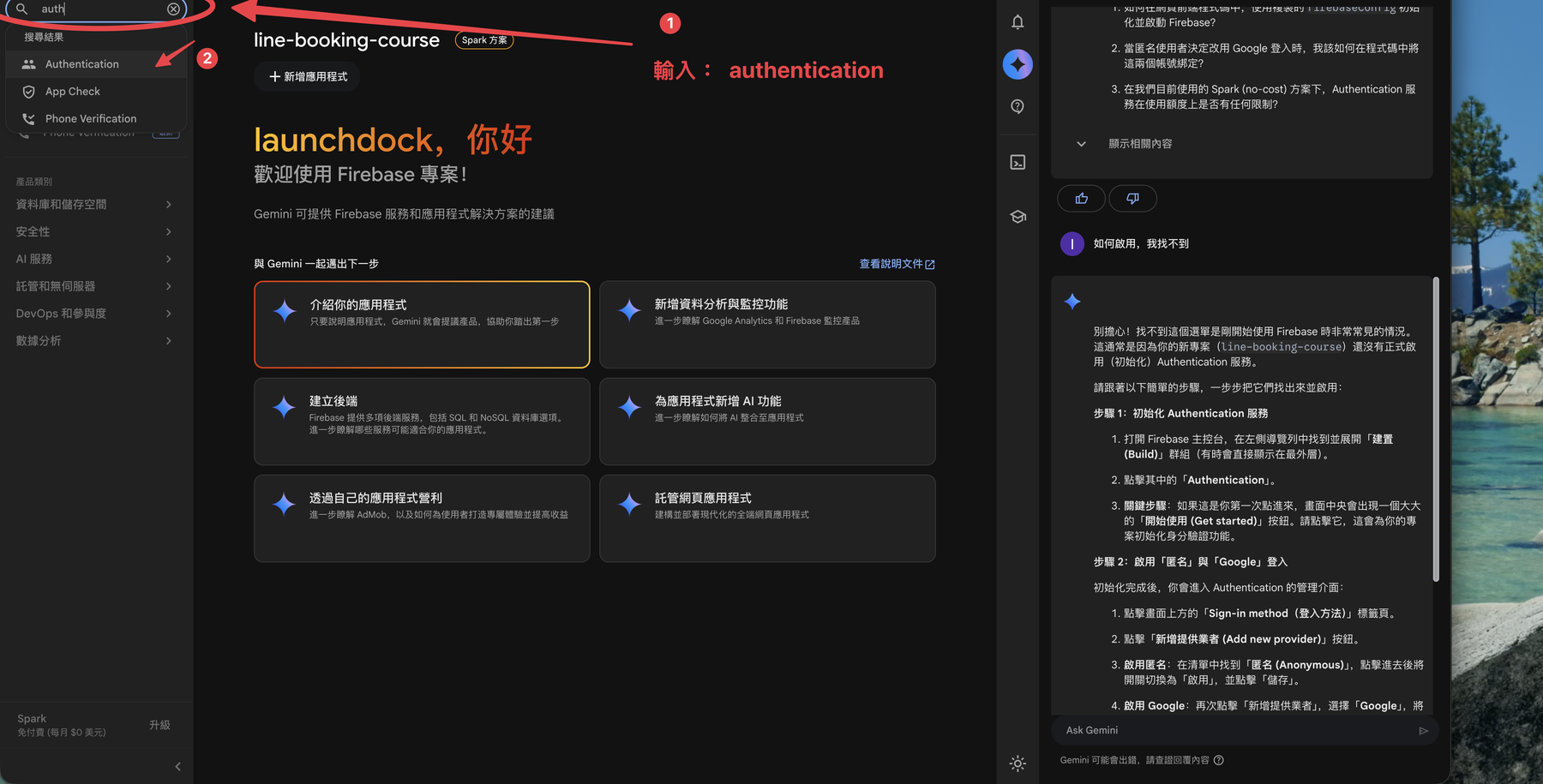
In the Firebase Console, type authentication in the top-left search box and open the Authentication product.
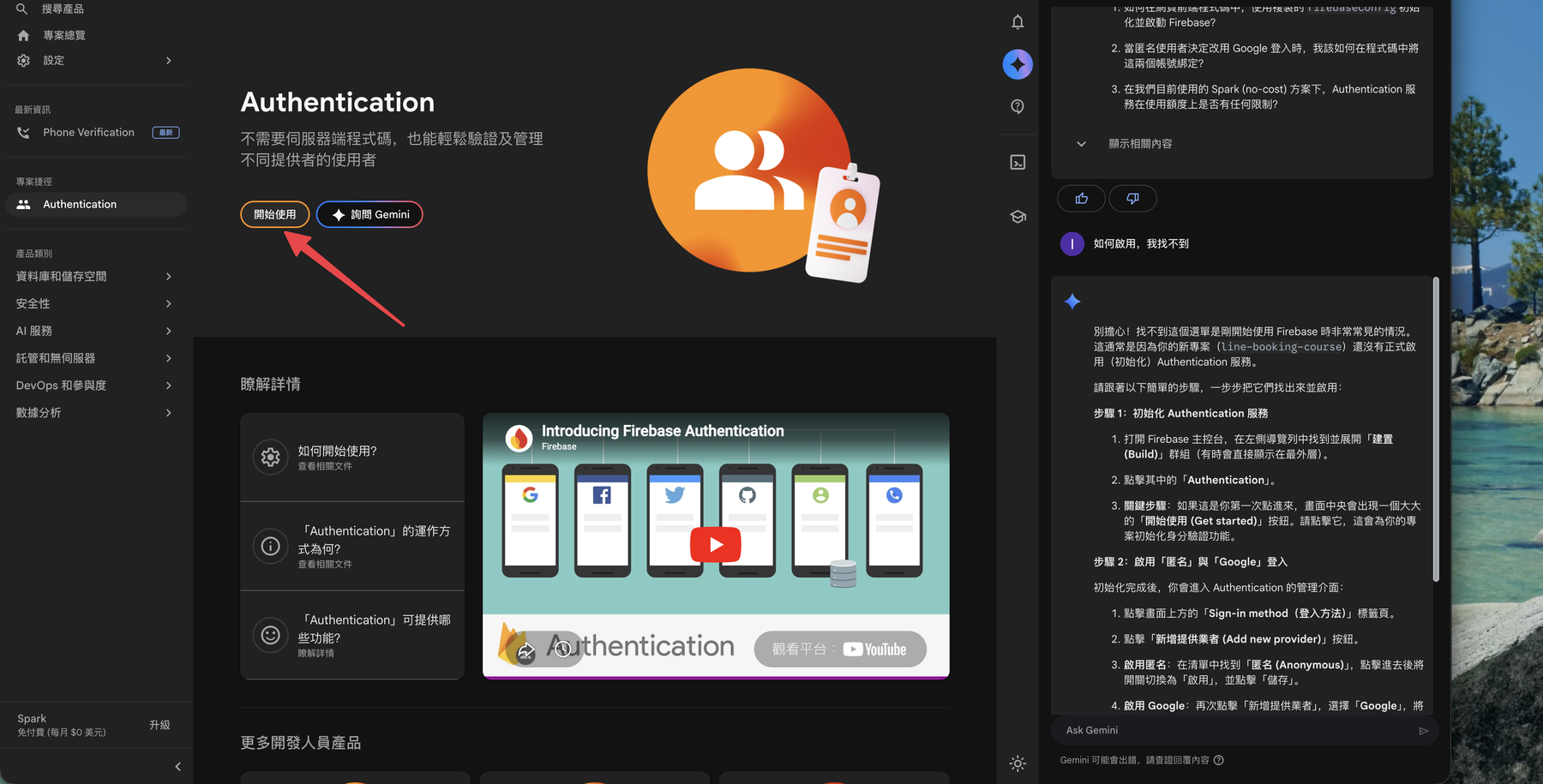
On your first visit you’ll see the product intro page — click Get started.
Step 2: Pick and enable Google sign-in
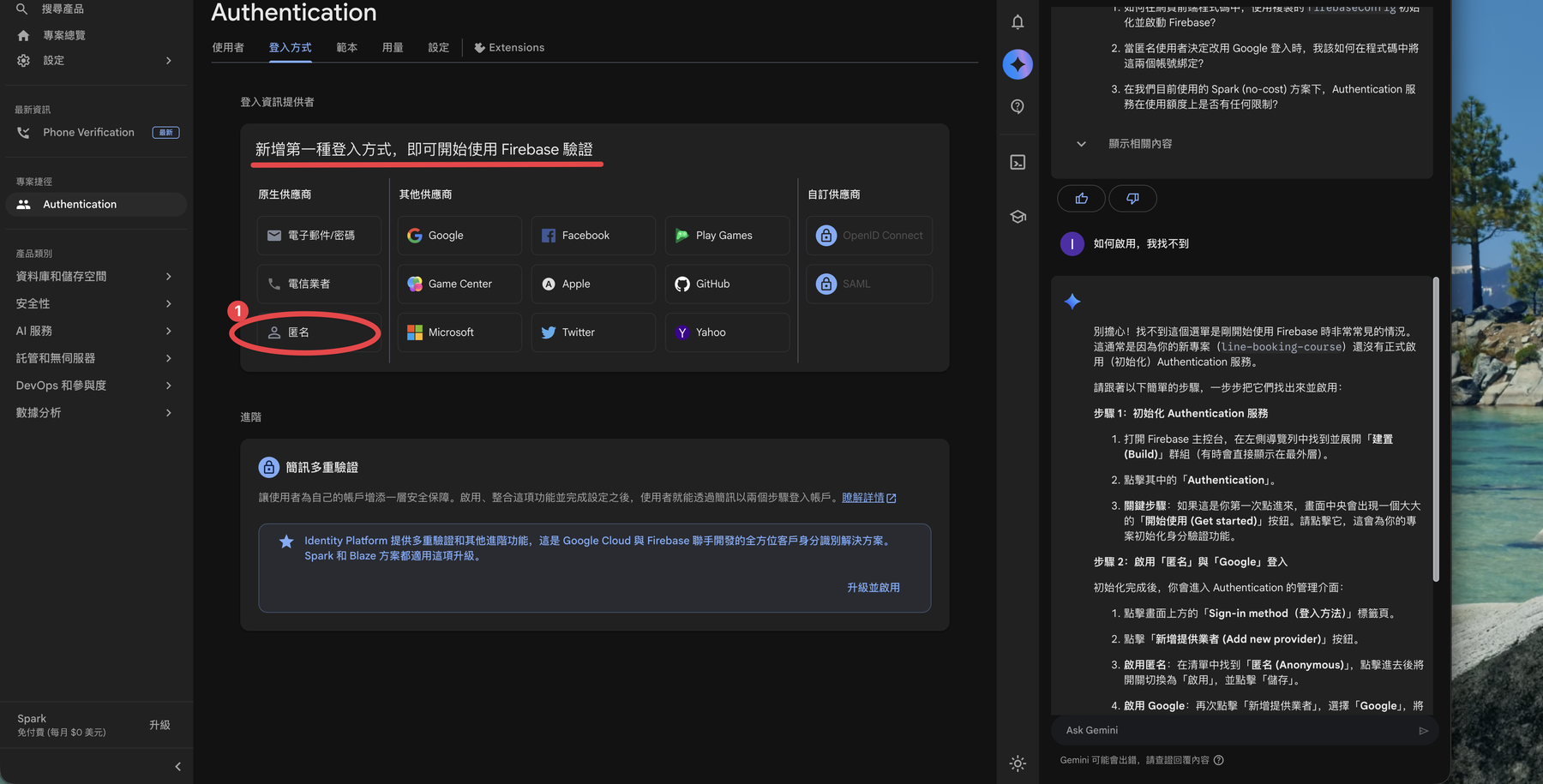
In the Sign-in method list you’ll see Email/password, Google, Anonymous, Apple, and more. Select Google.
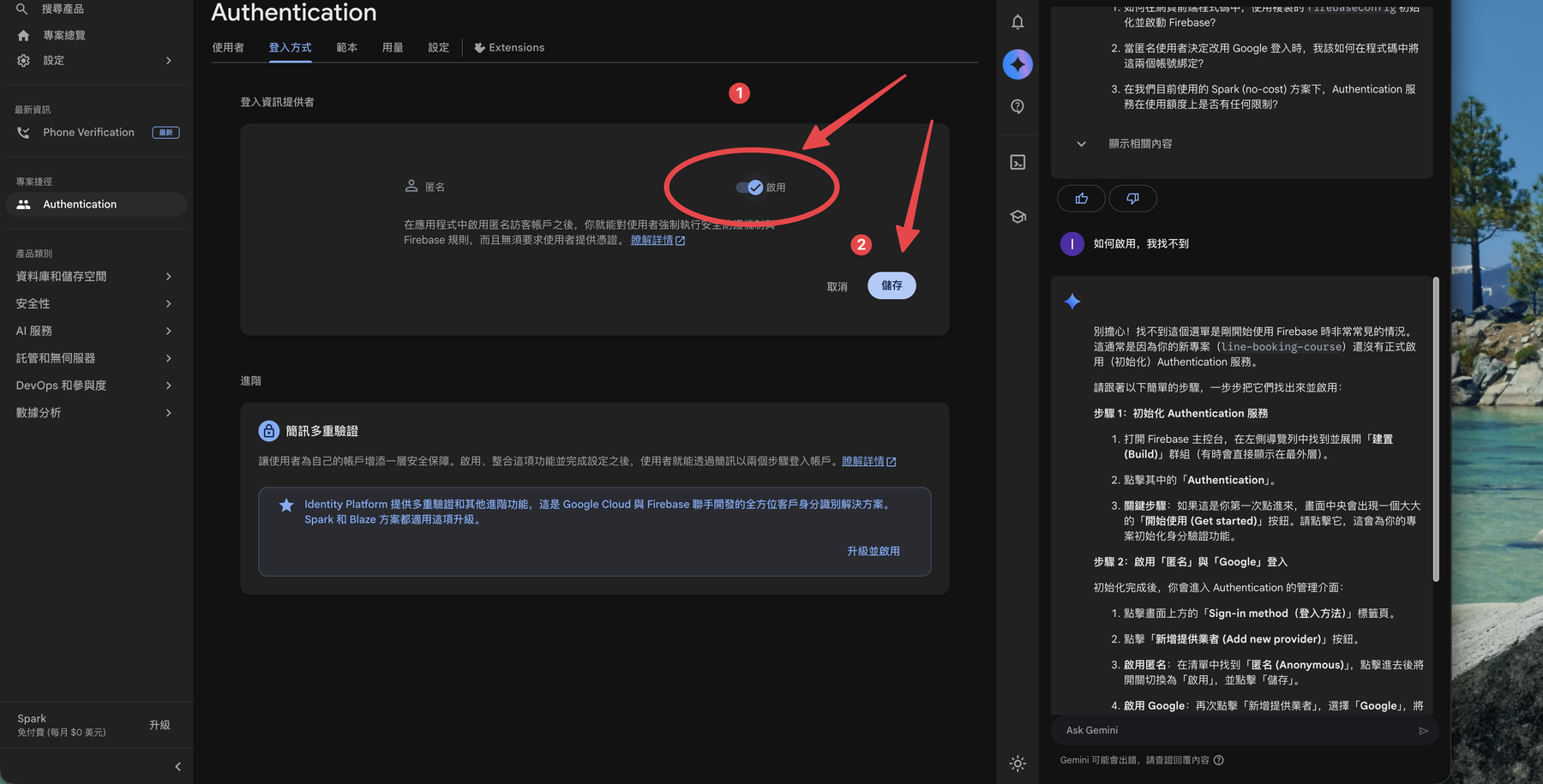
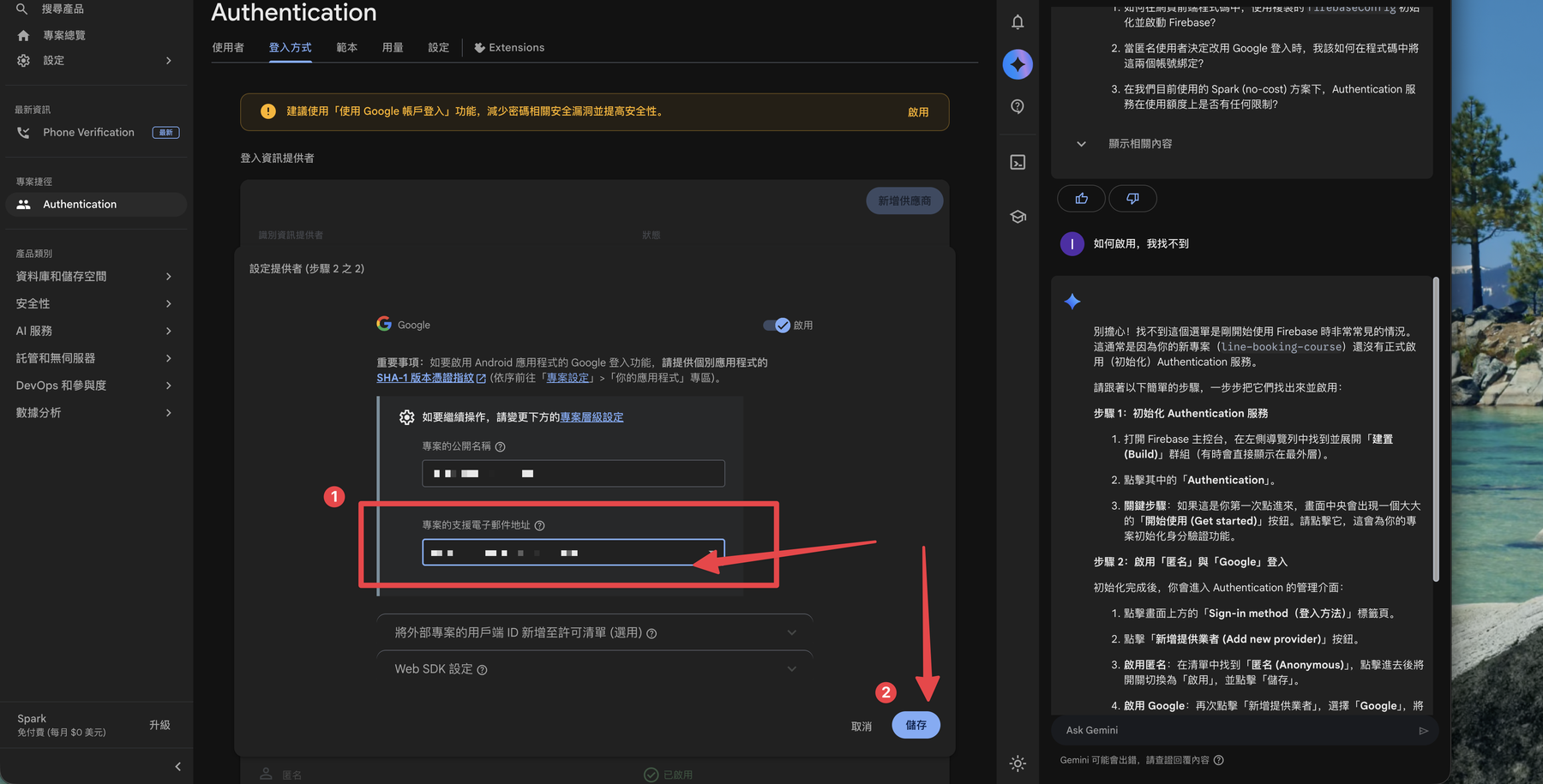
Flip the Enable toggle in the top-right, then click Save.
Step 3: Set the project support email
🚨 A “set a project support email” warning appears
When enabling Google sign-in, Firebase asks for a public-facing project name and a support email — shown on the Google sign-in screen so users know who’s asking them to log in. Pick one of your Google emails from the dropdown; without it you’re stuck on this warning.
Recap
- Firebase Authentication means no credential system of your own — Google sign-in in one click.
- Path: search Authentication → Get started → Sign-in method → Google → Enable → Save.
- Enabling Google sign-in requires a project support email, or you’re stuck on the warning.
Next: With login on, register your site as a Web app and grab the SDK config it needs → Register a Web App in Firebase to Get the SDK Config
這篇文章對你有幫助嗎?
💬 問答區
卡關了?直接在這裡問,其他讀者和作者都能幫忙解答。
載入中...
Found this useful? Share it with a friend who’s also getting their hands dirty
Share on LINE