Register a Web App in Firebase to Get the SDK Config
Register your site as a Web app under your Firebase project and grab the firebaseConfig SDK snippet so your front-end can connect. Screenshots included, plus whether the apiKey is actually a secret and where to find the config again later.
 卡住很正常——點段落旁的 😵 卡關 讓我們知道,或直接往下滾到問答區發問。
也可以用 👍 看懂 / 😢 看不懂 告訴我們哪裡寫得好、哪裡要改。
卡住很正常——點段落旁的 😵 卡關 讓我們知道,或直接往下滾到問答區發問。
也可以用 👍 看懂 / 😢 看不懂 告訴我們哪裡寫得好、哪裡要改。
In one line: Click the web
</>icon to register your site as a Web app, copy thefirebaseConfigit gives you, paste it into your front-end code — and your site is connected to Firebase.
Keywords: Firebase Web app, firebaseConfig, apiKey, SDK, npm install firebase, project settings
Why register a Web app?
You’ve created a project and turned on login, but your page still doesn’t know which Firebase project to connect to. Registering a Web app is how you get that “connection address” — the firebaseConfig.
Haven’t enabled login yet? See Enable Google Sign-In in Firebase.
Step 1: Add a Web app
Back on project settings / overview, click the web </> icon to register your site as a Web app under this Firebase project.
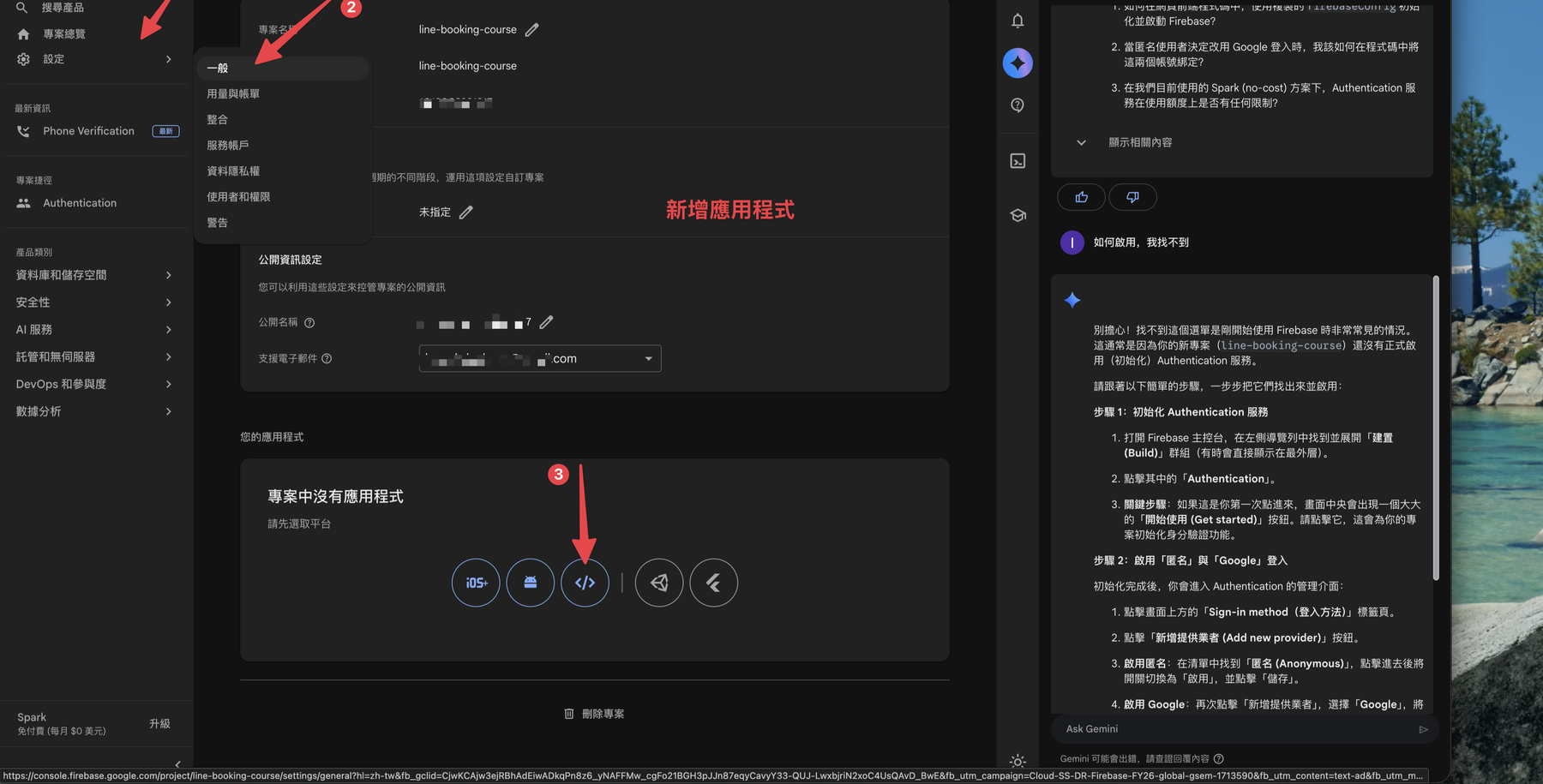
Enter an app nickname (just for you, anything works). Only check the Firebase Hosting box if you’ll use it — skip it for a plain front-end. Click Register app.
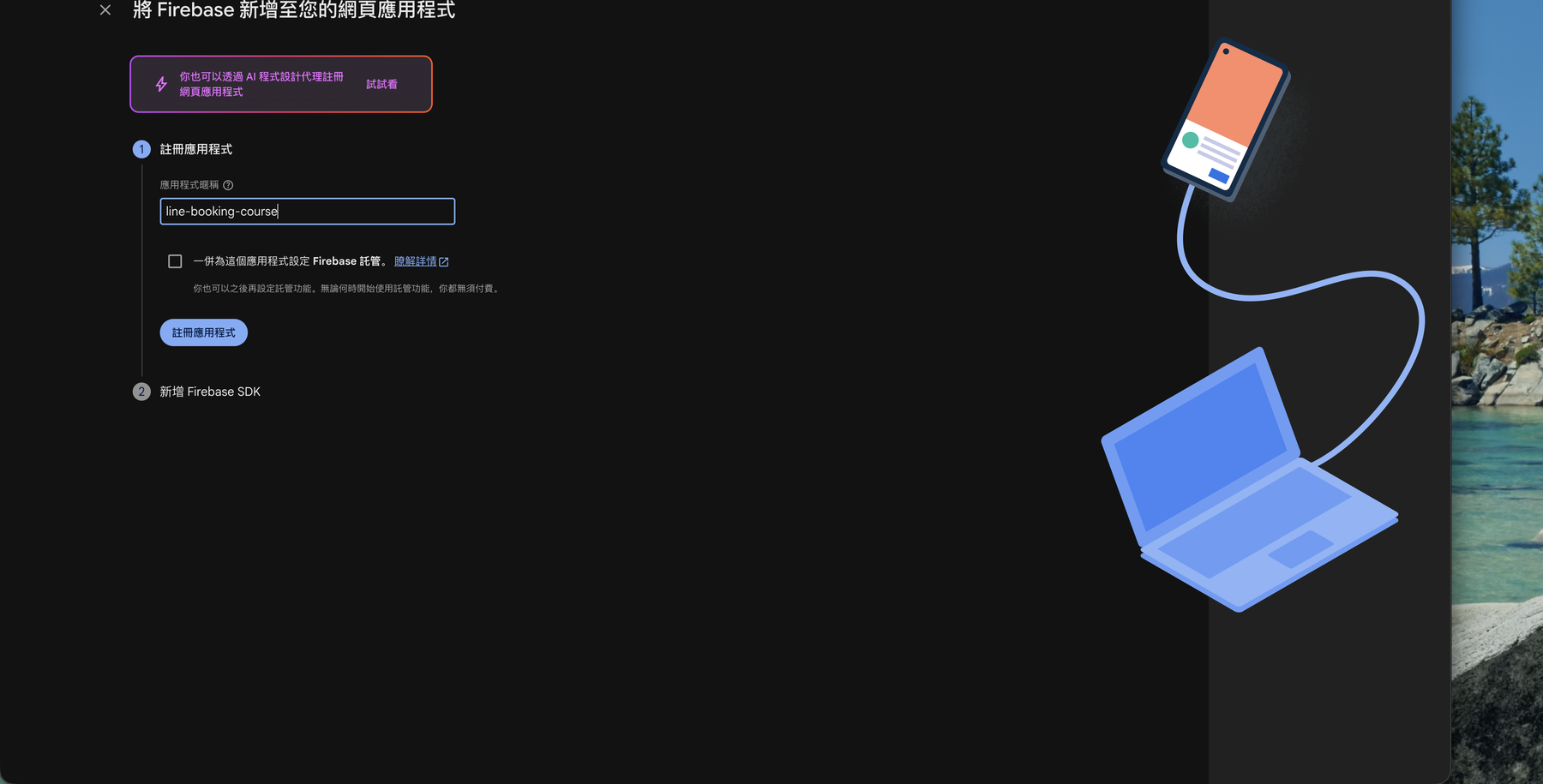
Step 2: Get the firebaseConfig
After registering, Firebase gives you an SDK config: first npm install firebase, then copy the firebaseConfig object (with apiKey, authDomain, projectId, appId, etc.) into your front-end code to connect.
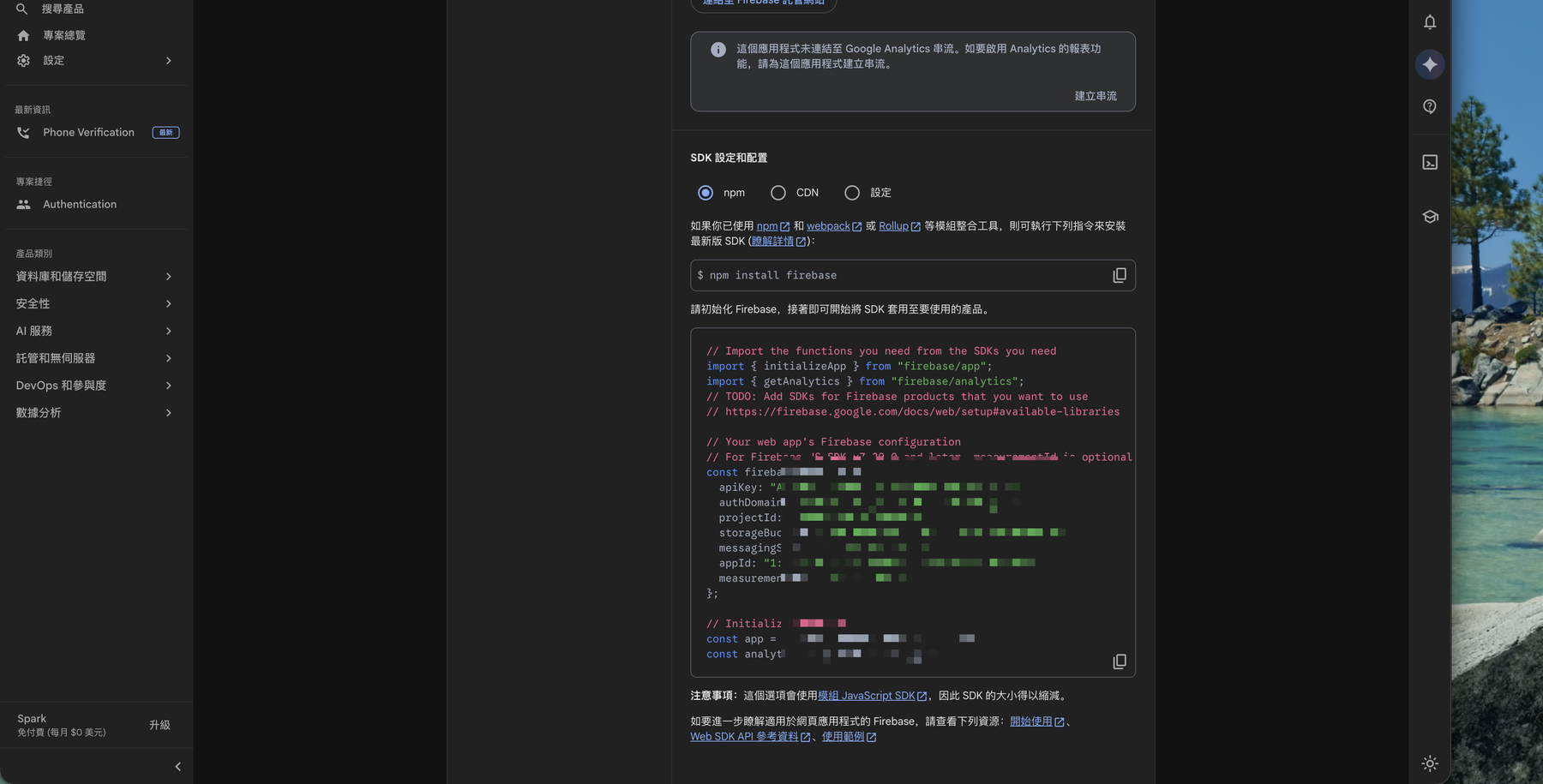
🚨 Is the apiKey in firebaseConfig a secret?
Not in the traditional sense. Firebase’s Web apiKey is designed to live in the front-end where users can see it — it only identifies which project to connect to, it’s not an authorization key. What protects your data is Firestore Security Rules, not hiding this.
⚠️ What you must keep secret are service account private keys and backend Admin SDK keys — those must never reach the front-end or git.
🚨 Can I see this config again later?
Yes. Go to Project settings → General → Your apps anytime to copy the firebaseConfig again.
Recap
- Registering a Web app gets you the
firebaseConfig— the “address” your front-end uses to reach Firebase. - Flow: project overview → click
</>→ enter a nickname → register → copyfirebaseConfig. - The
apiKeyis not a secret and belongs in the front-end; keep service account / Admin SDK keys secret. - The config is always retrievable under Project settings → General.
Next: Once connected, if reading/writing data throws “Missing or insufficient permissions,” that’s the rules blocking you → Fix Missing permissions: Deploy Firestore Security Rules
這篇文章對你有幫助嗎?
💬 問答區
卡關了?直接在這裡問,其他讀者和作者都能幫忙解答。
載入中...
Found this useful? Share it with a friend who’s also getting their hands dirty
Share on LINE